UI Interface
Open interactive UI Tour & spec layouts
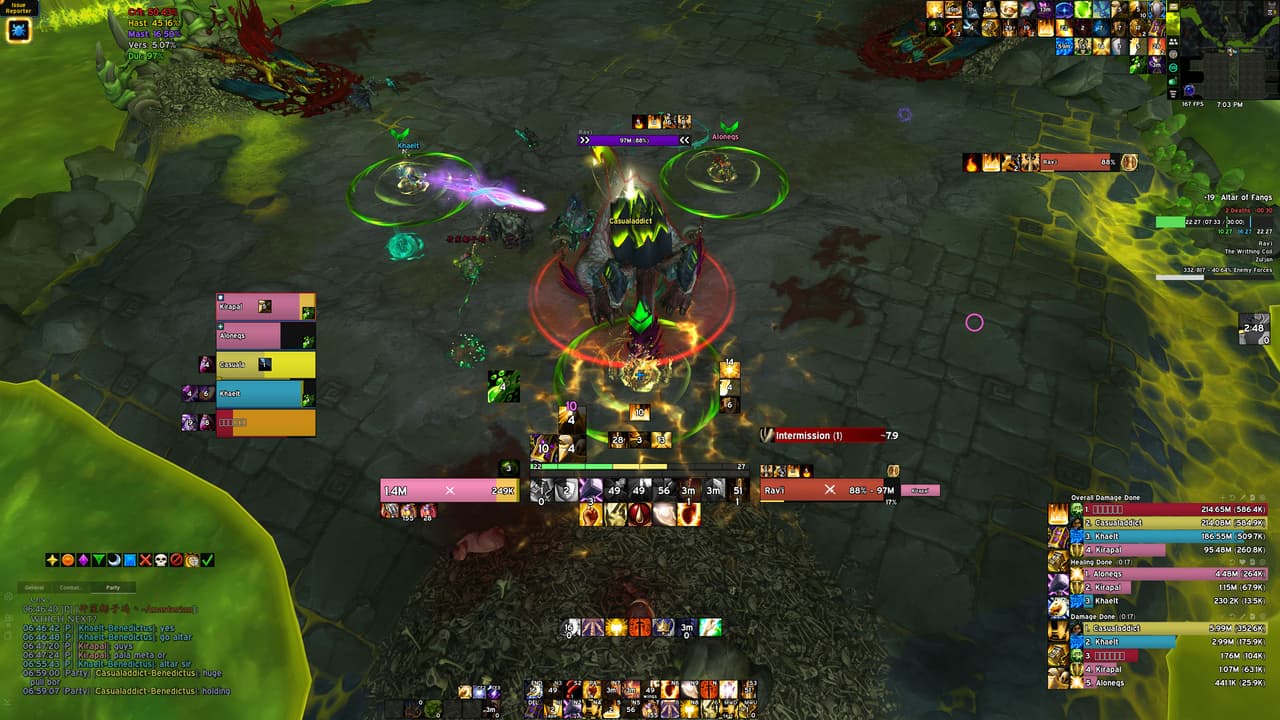
KiraTank UI
Addons
Become a supporter and gain full access to my UI!
In-Game Installer addon
NewKiraUI Addon
Version 2.11
Unzip the file into World of Warcraft>_retail_>Interface>AddOns then type /kiraui or /kui in game to launch the guided setup.

Install via Wago (one click)
Install the full pack on Wago App. Includes the full UI setup in a few simple clicks, plus any future updates made to the pack!
To access, link your Twitch/Patreon subscription to your Wago account.

Join the Discord!
The full UI setup is also available on Discord with extra addon options, updates, and pinned resources. If you have any questions, feel free to ask!
Install walkthrough
Follow the guided in-game setup for the full UI
The KiraUI installer walks you through each addon, import string, and resolution choice step by step, so you can get the whole UI in place fast without hunting through a bunch of menus.
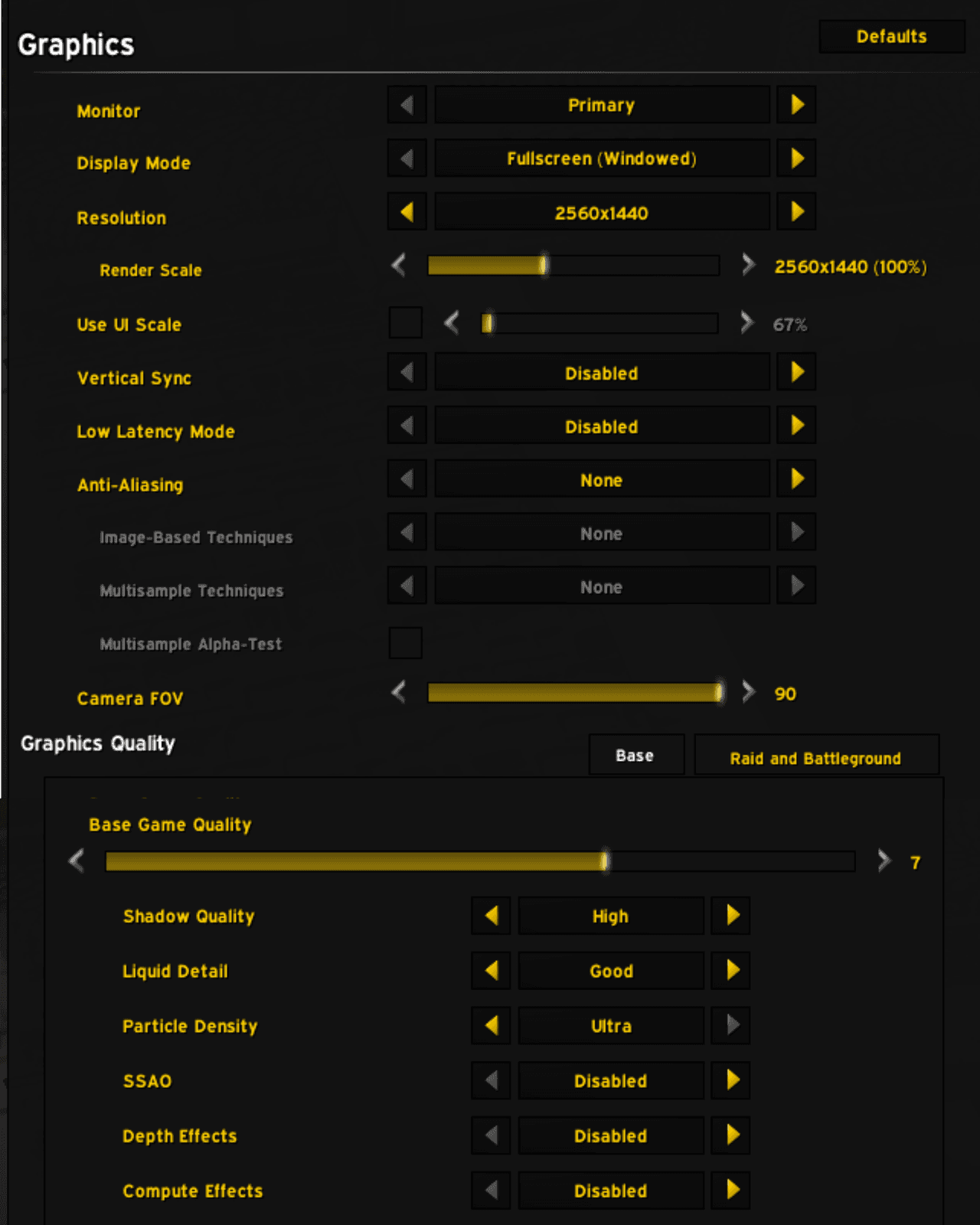
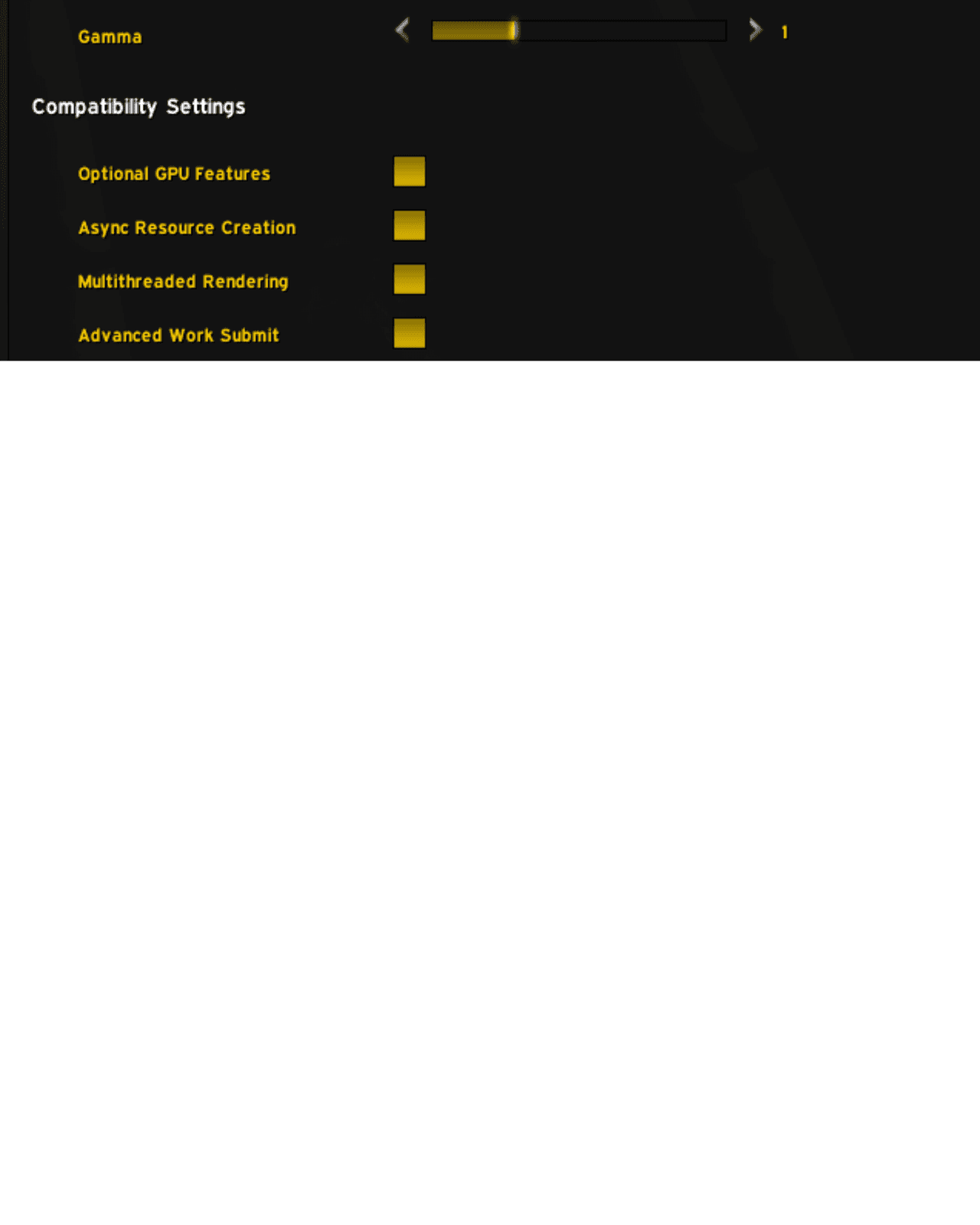
My Graphics Settings